A gentle introduction to the FFT

Some terms: The Fast Fourier Transform is an algorithm optimization of the DFT—Discrete Fourier Transform. The “discrete” part just means that it’s an adaptation of the Fourier Transform, a continuous process for the analog world, to make it suitable for the sampled digital world. Most of the discussion here addresses the Fourier Transform and it’s adaptation to the DFT. When it’s time for you to implement the transform in a program, you’ll use the FFT for efficiency. The results of the FFT are the same as with the DFT; the only difference is that the algorithm is optimized to remove redundant calculations. In general, the FFT can make these optimizations when the number of samples to be transformed is an exact power of two, for which it can eliminate many unnecessary operations.

Background

From Fourier we know that periodic waveforms can be modeled as the sum of harmonically-related sine waves. The Fourier Transform aims to decompose a cycle of an arbitrary waveform into its sine components; the Inverse Fourier Transform goes the other way—it converts a series of sine components into the resulting waveform. These are often referred to as the “forward” (time domain to frequency domain) and “inverse” (frequency domain to time domain) transforms. For most people, the forward transform is the baffling part—it’s easy enough to comprehend the idea of the inverse transform (just generate the sine waves and add them). So, we’ll discuss the forward transform; however, it’s interesting to note that the inverse transform is identical to the forward transform (except for scaling, depending on the implementation). You can essentially run the transform twice to convert from one form to the other and back!

Probing for a match

Let’s start with one cycle of a complex waveform. How do we find its component sine waves? (And how do we describe it in simple terms without mentioning terms like “orthogonality”? oops, we mentioned it.) We start with an interesting property of sine waves. If you multiply two sine waves together, the resulting wave’s average (mean) value is proportional to the sines’ amplitudes if the sines’ frequencies are identical, but zero for all other frequencies.

Take a look: To multiply two waves, simply multiply their values sample by sample to build the result. We’ll call the waveform we want to test the “target” and the sine wave we use to test it with the “probe”. Our probe is a sine wave, traveling between -1.0 and 1.0. Here’s what happens when our target and probe match:

See that the result wave’s peak is the same as that of the target we are testing, and its average value is half that. Here’s what happens when they don’t match:

In the second example, the average of the result is zero, indicating no match.

The best part is that the target need not be a sine wave. If the probe matches a sine component in the target, the result’s average will be non-zero, and half the component’s amplitude.

In phase

The reason this works is that multiplying a sine wave by another sine wave is balanced modulation, which yields the sum and difference frequency sine waves. Any sine wave averaged over an integral number of cycles is zero. Since the Fourier transform looks for components that are whole number multiples of the waveform section it is analyzing, and that section is also presumed to be a single cycle, the sum and difference results are always integral to the period. The only case where the results of the modulation don’t average to zero is when the two sine waves are the same frequency. In that case the difference is 0 Hz, or DC (though DC stands for Direct Current, the term is often used to describe steady-state offsets in any kind of waveform). Further, when the two waves are identical in phase, the DC value is a direct product of the multiplied sine waves. If the phases differ, the DC value is proportional to the cosine of the phase difference. That is, the value drops following the cosine curve, and is zero at pi/2 radians, where the cosine is zero.

So this sine measurement doesn’t work well if the probe phase is not the same as the target phase. At first it might seem that we need to probe at many phases and take the best match; this would result in the ESFT—the Extremely Slow Fourier Transform. However, if we take a second measurement, this time with a cosine wave as a probe, we get a similar result except that the cosine measurement results are exactly in phase where the sine measurement is at its worst. And when the target phase lies between the sine and cosine phase, both measurements get a partial match. Using the identity

for any theta, we can calculate the exact phase and amplitude of the target component from the sine and cosine probes. This is it! Instead of probing the target with all possible phases, we need only probe with two. This is the basis for the DFT.

Completing the series

Besides probing with our single cycle sine (and cosine), the presumed fundamental of the target wave, we continue with the harmonic series (2x, 3x, 4x…) through half the sample rate. At that point, there are only two sample points per probe cycle, the Nyquist limit. We also probe with 0x, which is just the average of the target and gives us the DC offset.

We can deduce that having more points in the “record” (the group of samples making up our target wave cycle) allows us to start with a lower frequency fundamental and fit more harmonic probes into the transform. Doubling the number of target samples (higher time resolution) doubles the number of harmonic probes (higher frequency resolution).

Getting complex

By tradition, the sine and cosine probe results are represented by a single complex number, where the cosine component is the real part and the sine component the imaginary part. There are two good reasons to do it this way: The relationship of cosine and sine follows the same mathematical rules as do complex numbers (for instance, you add two complex numbers by summing their real and complex parts separately, as you would with sine and cosine components), and it allows us to write simpler equations. So, we refer to the resulting average of the cosine probe as the real part (Re), and the sine component as the imaginary part (Im), where a complex number is represented as Re + i*Im.

To find the magnitude (which we have called “amplitude” until now—magnitude is the same as amplitude when we are only interested in a positive value—the absolute value):

In the way we’ve presented the math here, this is the magnitude of the average, so again we’d have to multiply that value by two to get the peak amplitude of the component we’re testing for.

You might notice that Im can be zero, which would lead to a divide-by-zero error on your computer. In that case, notice that the result of the division becomes very large for non-zero Re as Im approaches zero, and the atan for very large numbers approaches pi/2. This would tell us that the target component is approaching an exact match with the cosine phase, which we already know to be true with a near-zero imaginary part.

Making it “F”

Viewing the DFT in this way, it’s easy to see where the algorithm can be optimized. First, note that all of the sine probes are zero at the start and in the middle of the record—no need to perform operations for those. Further, all the even-numbered sine probes cross zero at one-fourth increments through the record, every fourth probe at one-eighth, and so on. Note the powers of two in this pattern. The FFT works by requiring a power of two length for the transform, and splitting the the process into cascading groups of two (that’s why it’s sometimes called a radix-2 FFT). Similarly, there are patterns for when the sine and cosine are at 1.0, and multiplication is not needed. By exploiting these redundancies, the savings of the FFT over the DFT are huge. While the DFT needs N^2 basic operations, the FFT needs only NLog2(N). For a 1024 point FFT, that’s 10,240 operations, compared to 1,048,576 for the DFT.

Let’s take a look at the kinds of symmetry exploited by the FFT. Here’s an example showing even harmonics crossing at zero for integer multiples of pi/2 on the horizontal axis:

Here we see that every fourth harmonic meets at 0, 1, 0, and -1, at integer multiples of pi/2:

Caveats and Extensions

The Fourier transform works correctly only within the rules laid out—transforming a single cycle of the target periodic waveform. In practical use, we often sample an arbitrary waveform, which may or may not be periodic. Even if the sampled waveform is exactly periodic, we might not know what that period is, and if we did it may not exactly fit our transform length (we may be using a power-of-two length for the FFT).

We can still get results with the transform, but there is some “spectral leakage.” There are ways to reduce such errors, such as windowing to reduce the discontinuities at the ends of the group of sample points (where we snipped the chunk to examine from the sampled data). And for arbitrarily long signals (analyzing a constant stream of incoming sound, for instance), we can perform FFTs repeatedly—much in the way a movie is made up of a constant stream of still pictures—and overlap them to smooth out errors.

There is a wealth of information on the web. Search for terms used here, such as Fourier, FFT, DFT, magnitude, phase… The purpose here is to present the transform in an intuitive way. With an understanding that there is no black magic involved, perhaps the interested reader is encouraged to dig deeper without fear when it’s presented in a more rigorous and mathematical manner. Or maybe having a basic idea of how it works is good enough to feel more comfortable with using the FFT. You can find efficient implementations of the FFT for many processors, and links to additional information, at http://www.fftw.org. For another source on the transform and basic C code, try Numerical Recipes in C.

Posted in Digital Audio, FFT | 3 Comments

A bit about reverb

Reverb is one of the most interesting aspects of digital signal processing effects for audio. It is a form of processing that is well-suited to digital processing, while being completely impractical with analog electronics. Because of this, digital signal processing has had a profound affect on our ability to place elements of our music into different “spaces.”

Before digital processing, reverb was created by using transducers—a speaker and a microphone, essentially—at two ends of a physical delay element. That delay element was typically a set of metal springs, a suspended metal plate, or an actual room.The physical delay element offered little variation in the control of the reverb sound. And these reverb “spaces” weren’t very portable; spring reverb was the only practically portable—and generally affordable—option, but they were the least acceptable in terms of sound.

First a quick look at what reverb is: Natural reverberation is the result of sound reflecting off surfaces in a confined space. Sound emanates from its source at 1100 feet per second, and strikes wall surfaces, reflecting off them at various angles. Some of these reflections meet your ears immediately (“early reflections”), while others continue to bounce off other surfaces until meeting your ears. Hard and massive surfaces—concrete walls, for instance—reflect the sound with modest attenuation, while softer surfaces absorb much of the sound, especially the high frequency components. The combination of room size, complexity and angle of the walls and room contents, and the density of the surfaces dictate the room’s “sound.”

In the digital domain, raw delay time is limited only by available memory, and the number of reflections and simulation of frequency-dependent effects (filtering) are limited only by processing speed.

Two possible approaches to simulating reverb

Let’s look at two possible approaches to simulating reverb digitally. First, the brute-force approach:

Reverb is a time-invariant effect. This means that it doesn’t matter when you play a note—you’ll still get the same resulting reverberation. (Contrast this to a time-variant effect such as flanging, where the output sound depends on the note’s relationship to the flanging sweep.)

Time-invariant systems can be completely characterized by their impulse response. Have you ever gone into a large empty room—a gym or hall—and listened to its characteristic sound? You probably made a short sound—a single handclap works great—then listened as the reverberation tapered off. If so, you were listening to the room’s impulse response.

The impulse response tells everything about the room. That single handclap tells you immediately how intense the reverberation is and how long it takes to dies out, and whether the room sounds “good.” Not only is it easy for your ears to categorize the room based on the impulse response, but we can perform sophisticated signal analysis on a recording of the resulting reverberation as well. Indeed, the impulse response tells all.

The reason this works is that an impulse is, in its ideal form, an instantaneous sound that carries equal energy at all frequencies. What comes back, in the form of reverberation, is the room’s response to that instantaneous, all-frequency burst.


An impulse and its response

In the real world, the handclap—or a popping balloon, an exploding firecracker, or the snap of an electric arc—serves as the impulse. If you digitize the resulting room response and look at it in a sound-editing program, it looks like decaying noise. After some density build-up at the beginning, it decays smoothly toward zero. In fact, smoother sounding rooms show a smoother decay.

In the digital domain, it’s easy to realize that each sample point of the response can be viewed as a discrete echo of the impulse. Since, ideally, the impulse is a single non-zero sample, it’s not a stretch to realize that a series of samples—a sound played in the room—would be the sum of the responses of each individual sample at their respective times (this is called superposition).

In other words, if we have a digitized impulse response, we can easily add that exact room characteristic to any digitized dry sound. Multiplying each point of the impulse response by the amplitude of a sample yields the room’s response to that sample; we simply do that for each sample of the sound that we want to “place” into that room. This yields a bunch—as many as we have samples—of overlapping responses that we simply add together.

Easy. But extremely expensive computationally. Each sample of the input is multiplied individually by each sample of the impulse response, and added to the mix. If we have n samples to process, and the impulse response is m samples long, we need to perform n+m multiplications and additions. So, if the impulse response is three seconds (a big room), and we need to process one minute of music, we need to do about 350 trillion multiplications and the same number of additions (assuming a 44.1KHz sampling rate).

This may be acceptable if you want to let your computer crunch the numbers for a day before you can hear the result, but it’s clearly not usable for real-time effects. Too bad, because its promising in several aspects. In particular, you can accurately mimic any room in the world if you have its impulse response, and you can easily generate your own artificial impulse responses to invent your own “rooms” (for instance, a simple decaying noise sequence gives a smooth reverb, though one with much personality).

Actually, there’s a way to handle this more practically. We’ve been talking about time-domain processing here, and the process of multiplying the two sampled signals is called “convolution.” While convolution in the time domain requires many operations, the equivalent in the frequency domain requires drastically reduced computation (convolution in the time domain is equivalent to multiplication in the frequency domain). I won’t elaborate here, but you can check out Bill Gardner’s article, “Efficient Convolution Without Input/Output Delay” for a promising approach. (I haven’t tried his technique, but I hope to give it a shot when I have time.)

A practical approach to digital reverb

The digital reverbs we all know and love take a different approach. Basically, they use multiple delays and feedback to built up a dense series of echoes that dies out over time. The functional building blocks are well known; it’s variations and how they are stacked together that give an digital reverb units its characteristic sound.

The simplest approach would be a single delay with part of the signal fed back into the delay, creating a repeating echo that fades out (the feedback gain must be less than 1). Mixing in similar delays of different sizes would increase the echo density and get closer to reverberation. For instance, using different delay lengths based on prime numbers would ensure that each echo fell between other echoes, enhancing density.

In practice, this simple arrangement doesn’t work very well. It takes too many of these hard echoes to make a smooth wall of reverb. Also, the simple feedback is the recipe for a comb filter, resulting in frequency cancellations that can mimic room effects, but can also yield ringing and instability. While useful, these comb filters alone don’t give a satisfying reverb effect.


Comb filter reverb element

By feeding forward (inverted) as well as back, we fill in the frequency cancellations, making the system an all-pass filter. All-Pass filters give us the echoes as before, but a smoother frequency response. They have the effect of frequency-dependent delay, smearing the harmonics of the input signal and getting closer to a true reverb sound. Combinations of these comb and all-pass recirculating delays—in series, parallel, and even nested—and other elements, such as filtering in the feedback path to simulate high-frequency absorption, result in the final product.


All-Pass filter reverb element

I’ll stop here, because there are many readily available texts on the subject and this is just an introduction. Personally, I found enough information for my own experiments in “Musical Applications of Microprocessors” by Hal Chamberlin, and Bill Gardner’s works on the subject, available here on the web.

Posted in Convolution, Digital Audio, Impulse Response, Reverb | 5 Comments

The Fourier series

Experiment with harmonic (Fourier) synthesis with this Java applet! The sliders represent the levels of the first eight harmonics in the harmonic series. The second harmonic is twice the frequency of the first, the third is three times that of the first, and so on. The graph shows one cycle of the resulting waveform.


If you had a Java-equiped browser, you’d see as applet here that looks like this.

Press the Sawtooth button to get an eight-harmonic approximation of a sawtooth waveform. A sawtooth waveform contains all harmonics; the second harmonic is one-half the level of the first, the third harmonic is one-third the level of the first, and so on. (Continuing the series yields a more accurate sawtooth.)

Similarly, press the Square button for a square-wave approximation. A square wave is made of only odd-numbered harmonics, in the same relationship as those of the sawtooth.

One way of looking at this is that the sliders represent the frequency domain of a waveform (the level of its frequency components—how we hear), and the graph represents its conversion to the time domain (the signal as it is routed through audio equipment and speakers, only to be converted back to the frequency domain by our ears!).

Posted in Digital Audio, FFT, Fourier | Leave a comment

A question of phase

If you’ve paid attention for long enough, you’ve seen heated debate in online forums and letters to the editor in magazines. One side will claim that it has been proven that people can’t hear the effects of phase errors in music, and the other is just as adamant that the opposite is true.

Much of the confusion about phase lies with the fact that there are several facets to this issue. Narrow arguments on the subject can be much like the story of the blind men and the elephant—one believes that the animal is snake-like, while another insists that it’s more like a wall. Both sides may be right, as far as their knowledge allows, but both are equally wrong because they’re hampered by a limited understanding of the subject.

What is phase?

Phase is a frequency dependent time delay. If all frequencies in a sound wave (music, for instance), are delayed by the same amount as they pass through a device, we call that device “phase linear.” A digital delay has this characteristic—it simply delays the sound as a whole, without altering the relationships of frequencies to each other. The human ear is insensitive to this kind of phase change of delay, as long as the delay is constant and we don’t have another signal to reference it to. The audio from a CD-player is always delayed due to processing, for instance, but it has no effect on our listening enjoyment.

Relative phase

Now, even if the phase is linear (simply an overall delay), we can easily detect a phase difference if we have a reference. For instance, you can get closer to one of your stereo speakers than the other; even if you use the stereo balance control to even the relative loudness between speakers, it won’t sound the same as being equidistance between them.

Another obvious case is when we have a direct reference to compare to. When you delay music and mix it with the un-delayed version, for instance, it’s easy to hear the effect; short delays cause frequency-dependent cancellation between the two signals, while longer delays result in an obvious echo.

If you connect one of your stereo speakers up backwards, inverting the signal, you’ll get phase cancellation between many harmonic components simultaneously as they cancel in the air. This is particularly noticeable with mono input and at low frequencies, where the distance between the speakers has less effect.

The general case

Having dispensed with linear phase, let’s look at the more general case of phase as a frequency-dependent delay.

Does it seem likely that we could hear the difference between a music signal and the same signal with altered phase?

First, I should point out that phase error, in the real world, is typically constant and affects a group of frequencies, usually by progressive amounts. By “constant”, I mean that the phase error is not moving around, as in the effect a phase shifter device is designed to produce. By “group of frequencies”, I mean that it’s typically not a signal frequency that’s shifted, or unrelated frequencies; phase shift typically “smears” an area of the music spectrum.

Back to the question: Does it seem likely that we could hear the difference between an audio signal and the same signal with altered phase? The answer is… No… and ultimately Yes.

No: The human ear is insensitive to a constant relative phase change in a static waveform. For instance, you cannot here the difference between a steady sawtooth wave (which contains all harmonic frequencies) and a waveform that contains the same harmonic content but with the phase of the harmonics delayed by various (but constant) amounts. The second waveform would not look like a sawtooth on an oscilloscope, but you would not be able to hear the difference. And this is true no matter how ridiculous you get with the phase shifting.

Yes: Dynamically changing waveforms are a different matter. In particular, it’s not only reasonable, but easy to demonstrate (at least under artificially produced conditions) that musical transients (pluck, ding, tap) can be severely damaged by phase shift. Many frequencies of short duration combine to produce a transient, and phase shift smears their time relationship, turning a “tock!” into a “thwock!”.

Because music is a dynamic waveform, the answer has to be “yes”—phase shift can indeed affect the sound. The second part is “how much?” Certainly, that is a tougher question. It depends on the degree or phase error, the area of the spectrum it occupies, and the music itself. Clearly we can tolerate phase shift to a degree. All forms of analog equalization—such as on mixing consoles—impart significant phase shift. It’s probably wise, though, to minimize phase shift where we can.

Posted in Digital Audio, Phase | 4 Comments

The jitters

When samples are not output at their correct time relative to other samples, we have clock jitter and the associated distortion it causes. Fortunately, the current state of the art is very good for stable clocking, so this is not a problem for CD players and other digital audio units. And since the output from the recording media (CD, or DAT, for instance) is buffered and servo-controlled, transport variations are completely isolated from the digital audio output clocking.

Clocking external sources

Clock jitter can arise when we combine multiple units, though. When each unit runs on its own clock, compensating for small differences between the clocks can cause output errors. For instance, even if both clocks are at exactly the same frequency, they will almost certainly not be in phase.

For example, consider connecting the digital output of your computer-based digital recording system to a DAT recorder, and monitoring the analog output of the DAT unit. Because the digital output (S/PDIF or AES/EBU) doesn’t carry a separate clock signal, the DAT unit must output the audio using its own clock.

Since the DAT player can’t synchronize its clock to that of the source, it has to either derive a clock signal from the digital input (using a Phase Locked Loop—PLL), or make the digital input march to its own clock (buffering and reclocking, or sample rate conversion). The PLL method will certainly be subject to jitter on playback, dependent on the quality of the digital signal at the input. In other words, poor cables would make the audio sound worse! It’s important to note that this will only affect monitoring; if you record the signal and play it back, there will be no change from the original (barring serious problems with the cabling or other transfer factors). This because the recorder will store the correct sample values, despite jitter, then reclock the digital stream on playback.

If the clock rate of the input digital stream and the playback unit differ (44.1 KHz and 48 KHz, for instance), the playback unit has no choice but to sample rate convert. If they are the same, the playback unit may use sample rate conversion to oversample the input, then pick the samples that “line up” with its own clock, or it may simply buffer the incoming digital stream and reclock it for output. Either method will not be subject to jitter, since the D/A convertor is using its own local clock.

Note that the resampling (sample rate conversion) techniques actually change the digital stream before converting it to analog, whereas buffering does not. This is a particularly important distinction when making digital copies and transfers.

Be sure to check out Bob Katz’s web article on the subject for a more detailed look.

Posted in Digital Audio, Jitter | Leave a comment

What is aliasing?

It’s easiest to describe aliasing in terms of a visual sampling system we all know and love—movies. If you’ve ever watched a western and seen the wheel of a rolling wagon appear to be going backwards, you’ve witnessed aliasing. The movie’s frame rate isn’t adequate to describe the rotational frequency of the wheel, and our eyes are deceived by the misinformation!

The Nyquist Theorem tells us that we can successfully sample and play back frequency components up to one-half the sampling frequency. Aliasing is the term used to describe what happens when we try to record and play back frequencies higher than one-half the sampling rate.

Consider a digital audio system with a sample rate of 48 KHz, recording a steadily rising sine wave tone. At lower frequency, the tone is sampled with many points per cycle. As the tone rises in frequency, the cycles get shorter and fewer and fewer points are available to describe it. At a frequency of 24 KHz, only two sample points are available per cycle, and we are at the limit of what Nyquist says we can do. Still, those two points are adequate, in a theoretical world, to recreate the tone after conversion back to analog and low-pass filtering.

But, if the tone continues to rise, the number of samples per cycle is not adequate to describe the waveform, and the inadequate description is equivalent to one describing a lower frequency tone—this is aliasing.

In fact, the tone seems to reflect around the 24 KHz point. A 25 KHz tone becomes indistinguishable from a 23 KHz tone. A 30 KHz tone becomes an 18 KHz tone.

In music, with its many frequencies and harmonics, aliased components mix with the real frequencies to yield a particularly obnoxious form of distortion. And there’s no way to undo the damage. That’s why we take steps to avoid aliasing from the beginning.

Posted in Aliasing, Digital Audio | 7 Comments

What is dither?

To dither means to add noise to our audio signal. Yes, we add noise on purpose, and it is a good thing.

How can adding noise be a good thing??!!!

We add noise to make a trade. We trade a little low-level hiss for a big reduction in distortion. It’s a good trade, and one that our ears like.

The problem

The problem results from something Nyquist didn’t mention about a real-world implementation—the shortcoming of using a fixed number of bits (16, for instance) to accurately represent our sample points. The technical term for this is “finite wordlength effects”.

At first blush, 16 bits sounds pretty good—96 dB dynamic range, we’re told. And it is pretty good—if you use all of it all of the time. We can’t. We don’t listen to full-amplitude (“full code”) sine waves, for instance. If you adjust the recording to allow for peaks that hit the full sixteen bits, that means much of the music is recorded at a much lower volume—using fewer bits.

In fact, if you think about the quietest sine wave you can play back this way, you’ll realize it’s one bit in amplitude—and therefore plays back as a square wave. Yikes! Talk about distortion. It’s easy to see that the lower the signal levels, the higher the relative distortion. Equally disturbing, components smaller than the level of one bit simply won’t be recorded at all.

This is where dither comes in. If we add a little noise to the recording process… well, first, an analogy…

An analogy

Try this experiment yourself, right now. Spread your fingers and hold them up a few inches in front of one eye, and close the other. Try to read this text. Your fingers will certainly block portions of the text (the smaller the text, the more you’ll be missing), making reading difficult.

Wag your hand back and forth (to and fro!) quickly. You’ll be able to read all of the text easily. You’ll see the blur of your hand in front of the text, but definitely an improvement over what we had before.

The blur is analogous to the noise we add in dithering. We trade off a little added noise for a much better picture of what’s underneath.

Back to audio

For audio, dithering is done by adding noise of a level less than the least-significant bit before rounding to 16 bits. The added noise has the effect of spreading the many short-term errors across the audio spectrum as broadband noise. We can make small improvements to this dithering algorithm (such as shaping the noise to areas where it’s less objectionable), but the process remains simply one of adding the minimal amount of noise necessary to do the job.

An added bonus

Besides reducing the distortion of the low-level components, dither let’s us hear components below the level of our least-significant bit! How? By jiggling a signal that’s not large enough to cause a bit transition on its own, the added noise pushes it over the transition point for an amount statistically proportional to its actual amplitude level. Our ears and brain, skilled at separating such a signal from the background noise, does the rest. Just as we can follow a conversation in a much louder room, we can pull the weak signal out of the noise.

Going back to our hand-waving analogy, you can demonstrate this principle for yourself. View a large text character (or an object around you), and view it by looking through a gap between your fingers. Close the gap so that you can see only a portion of the character in any one position. Now jiggle your hand back and forth. Even though you can’t see the entire character at any one instant, your brain will average and assemble the different views to put the characters together. It may look fuzzy, but you can easily discern it.

When do we need to dither?

At its most basic level, dither is required only when reducing the number of bits used to represent a signal. So, an obvious need for dither is when you reduce a 16-bit sound file to eight bits. Instead of truncating or rounding to fit the samples into the reduced word size—creating harmonic and intermodulation distortion—the added dither spreads the error out over time, as broadband noise.

But there are less obvious reductions in wordlength happening all the time as you work with digital audio. First, when you record, you are reducing from an essentially unlimited wordlength (an analog signal) to 16 bits. You must dither at this point, but don’t bother to check the specs on your equipment—noise in your recording chain typically is more than adequate to perform the dithering!

At this point, if you simply played back what you recorded, you wouldn’t need to dither again. However, almost any kind of signal processing causes a reduction of bits, and prompts the need to dither. The culprit is multiplication. When you multiply two 16-bit values, you get a 32-bit value. You can’t simply discard or round with the extra bits—you must dither.

Any for of gain change uses multiplication, you need to dither. This means not only when the volume level of a digital audio track is something other than 100%, but also when you mix multiple tracks together (which generally has an implied level scaling built in). And any form of filtering uses multiplication and requires dithering afterwards.

The process of normalizing—adjust a sound file’s level so that its peaks are at full level—is also a gain change and requires dithering. In fact, some people normalize a signal after every digital edit they make, mistakenly thinking they are maximizing the signal-to-noise ratio. In fact, they are doing nothing except increasing noise and distortion, since the noise level is “normalized” along with the signal and the signal has to be redithered or suffer more distortion. Don’t normalize until you’re done processing and wish to adjust the level to full code.

Your digital audio editing software should know this and dither automatically when appropriate. One caveat is that dithering does require some computational power itself, so the software is more likely to take shortcuts when doing “real-time” processing as compared to processing a file in a non-real-time manner. So, an applications that presents you with a live on-screen mixer with live effects for real-time control of digital track mixdown is likely to skimp in this area, whereas an application that must complete its process before you can hear the result doesn’t need to.

Is that the best we can do?

If we use high enough resolution, dither becomes unnecessary. For audio, this means 24 bits (or 32-bit floating point). At that point, the dynamic range is such that the least-significant bit is equivalent to the amplitude of noise at the atomic level—no sense going further. Audio digital signal processors usually work at this resolution, so they can do their intermediate calculations without fear of significant errors, and dither only when its time to deliver the result as 16-bit values. (That’s OK, since there aren’t any 24-bit accurate A/D convertors to record with. We could compute a 24-bit accurate waveform, but there are no 24-bit D/A convertors to play it back on either! Still, a 24-bit system would be great because we could do all the processing and editing we want, then dither only when we want to hear it.)

Posted in Digital Audio, Dither | 13 Comments

Oversampling

In this discussion, “oversampling” means oversampling on output—at the digital to analog conversion stage. There is also a technique for oversampling at the input (analog to digital) stage, but it is not nearly as interesting, and in fact is unrelated to oversampling as discussed here.

Motivation for oversampling

Most people have heard the term “oversampling” applied to digital audio devices. While it’s intuitive that sampling and playing back something at a higher rate sounds better than a lower rate—more points in the waveform for increased accuracy—that’s not what oversampling means.

In fact, the truth is much less intuitive: Oversampling means generating more samples from a waveform that has already been digitally recorded! How can we get more samples out than was recorded?!

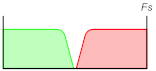
For background, let’s look at the “classic” digital audio playback system, the Compact Disc: The digital audio samples—numbers—are sent at 44.1 KHz, the rate at which they were recorded, to a low-pass filter. By Nyquist’s Theorem, the highest frequency we can play back is less than half the recorded rate, so the upper limit is 22.05 KHz. Everything above that is aliased frequency components—where the audio “reflects” around the sampling frequency and its multiples like a hall of mirrors. The low-pass filter, also called a reconstruction filter or anti-aliasing filter, is there to block the reflections and let the true signal pass.

One problem with this is that, ideally, we want to block everything above the Nyquist rate (22.05 KHz), but let everything below it pass unaffected. Filters aren’t perfect, though. They have a finite slope as they begin attenuating frequencies, so we have to compromise. If we can’t keep 22 KHz while blocking everything above it, we’d certainly like to shoot for 20 KHz. That means the low-pass filter’s cutoff must go from about 0 dB attenuation at 20 KHz to something like 90 dB at 22 KHz—a very steep slope.

While we can do this in an analog filter, it’s not easy. Filter components must be very precise. Even so, a filter this steep has a great deal of phase shift as it nears the cut-off point. Besides the expense of the filter, many people agree that the phase distortion of the upper audio frequencies is not a good thing.

Now, what if we had sampled at a higher rate to begin with? That would let us get away with a cheaper and more gentle output filter. Why? Since the reflections are wrapped at the sampling frequency and its multiples, moving the sampling frequency that far up moves the reflected image far from the audio portion we want to preserve. We don’t need to record higher frequencies—the low-pass filter will get rid of them anyway—but simply having more samples of our audio signal would be a big help.

This is where interpolation comes in. We calculate what it would look like if we had sampled with more points to begin with. If we could have, for instance, eight times as many sample points running at eight times the rate (“8X oversampling”), we could use a very gentle filter, because instead of 2 KHz of room to get the job done, we’d have 158 KHz.

In practice, we do exactly this, following it with a phase linear digital “FIR” (finite-impulse response) filter, and a gentle and simple (and cheap) analog low-pass filter. If you buy the fact that giving ourselves more room to weed out the reflections—the alias components—solves our problems, then the only part that needs some serious explaining is…

Where do the extra samples come from?

First, lets note that in the analog domain, the sampling rate is essentially infinite—the waveform is continuous, not a series of snapshots as with a digitize waveform. So, you could say that the low-pass reconstruction filter converts from the output sampling rate to an infinitely high sampling rate. It’s easy to see that we could sample the output of the low-pass filter at a higher rate to increase the sampling rate. In fact, since we don’t need to convert to the analog domain at this point, we could simply use a digital low-pass filter to reconstruct the digital waveform at a higher sampling rate directly.

Interpolating filters

There is more than one way to make a digital low-pass filter that will do the job. We have two basic classes of filters to choose from. One is called an IIR (infinite impulse response), which is based on feedback and is similar in principle to an analog low-pass filter. This type of filter can be very easy to construct and computationally inexpensive (few multiply-adds per sample), but has the drawback of phase shift. This is not a fatal flaw—analog filters have the same problem—but the other type of digital filter avoids the phase shift problem. (IIR filters can be made with zero relative phase shift, but it greatly increases complexity.)

FIR filters are phase linear, and it’s relatively easy to create any response. (In fact, you can create an FIR filter that has a response equal to a huge cathedral for impressive and accurate reverb.) The drawback (starting to get the idea that everything has a trade-off?) is that the more complex the response (steep cut-off slope, for instance), the more computation required by the filter. (And yes, unfortunately our “cathedral” would require an enormous number of computations, and in fact digital reverbs of today don’t work this way.)

Fortunately, we need only a gentle cut-off slope, and an FIR will handle that easily.

An FIR is a simple structure—basically a tapped delay line, where the taps are multiplied by coefficients and summed for the output. The two variables are the number of taps, and the values of the coefficients. The number of taps is based on a compromise between the number of coefficients we need to produce the desired result, and the number we can tolerate (since each coefficient requires a multiplication and addition).

How do we know what numbers to use to yield the desired result? Conveniently, the coefficients are equivalent to the impulse response of the filter we’re trying to emulate.

So, we need to fill the coefficients with the impulse response of a low-pass filter. The impulse response of a low-pass filter is described by (sine(x))/x. If you plot this function, you’ll see that it’s basically a sine wave that has full amplitude at time 0, and decays in both directs as it extends to positive and negative infinity.

If you’ve been following closely, you’ll notice that we have a problem. The number of computations for an FIR filters is proportional to the number of coefficients, and here we have a function for the coefficients that is infinite. This is where the “compromise” part comes in.

If we truncate the series around zero—simply throwing away “extra” coefficients at some point—we still get a low-pass filter, though not one with perfect cut-off slope (or ripple in the “stop band”). After all, the sin(x)/x function emulates a perfect low-pass filter—a brick wall. Fortunately, we don’t need a perfect one, and our budget version will do. We also use some math tricks—artificially tapering the response off, even quickly, gives much better results than simply truncating. This technique is called “windowing”, or multiplying by a window function.

As a bonus, we can take advantage of the FIR to fix some other minor problems with the signal. For instance, Nyquist promised perfect reconstruction in an ideal mathematical world, not in our more practical electronic circuits. Besides the lack of an ideal low-pass filter that’s been covered here, there’s the fact we’re working with a stair-step shaped output before the filter—not an ideal series of impulses. This gives a little frequency droop—a gentle roll off. We can simply superimpose a complementary response on the coefficients and fix the droop for “free”.

While we’re at it, we can use the additional bits gained from the multiplies to help in noise shaping—moving some of the in-band noise up to the frequencies that will be removed later by the low-pass filter, and to frequencies the ear is less sensitive to.

More cool math tricks to give us better sound!

Posted in Aliasing, Digital Audio, Sample Rate Conversion | 3 Comments

Digital audio: theory and reality

The promise of perfect audio—the Nyquist Theorem

Most people who’ve look at digital audio before know about the Nyquist theorem—if you sample an analog signal at a rate of at least twice its highest frequency component, you can convert it back to analog, passing through a low-pass filter, and get back the same thing you put in. Exactly. Perfectly.

sampling image

The real world

In the real world, though, many people argue that analog “sounds better.” How can this be, if digital audio is perfect?

For one thing, we’ve grown to like some of the deficiencies of analog recording. Just as tube amplifiers give a more pleasant distortion and compression to musical signals than transistors, analog tape similarly warms up and fattens the sound.

Of course, this alone isn’t a reason to forsake digital’s many conveniences. We can always use other means, such as tube compressors, to fatten the sound if needed. The real problems lie with the real-world problems Nyquist didn’t warn us about.

First, there is no such thing as the perfect low-pass filter required by Nyquist’s theorem. A real filter has a finite slope, so we need to set its cut-off a little lower than theory. Also, a steep filter has a lot of phase shift near and above the cutoff. And some aliasing is bound to leak through at the very high end. A technique called oversampling has been developed to reduce these problems.

Another big problem is finite wordlength effects—we’re using 16-bit samples, not the pure numbers of the Nyquist theorem, so we have to compromise the sample values. To start, 16 bits is not as great as it seems. Yes, it translates into 96 dB dynamic range, but that’s an absolute ceiling—you can’t go any higher. So, the average music level must be much lower in order to allow headroom for peaks. And, at the low amplitude end, distortion of small-signal components is very high, contributing to the “brittle” sound that many people describe with digital audio. On top of this, any gain change (from mixing tracks or changing volumes) causes individual samples to be rounded to the nearest bit level, adding distortion. Fortunately, a technique called dithering relieves these problems.

Clock jitter is another problem. If the sample clock timing is not perfect, it creates another kind of distortion. For a self-contained unit, the solution is simply more accurate timing; reducing timing errors reduces the distortion to a negligible level. When digitally interfacing with other units, though, the issue becomes a little more complex, but is not a problem when handled correctly.

Finally, an often overlooked detail in digital audio discussion is that Nyquist’s samples are instantaneous values—impulses. Our digital systems generally output stairsteps to the convertor and low-pass filter, holding the current sample level until the next. This causes a frequency droop and loss of highs—impulses carry more high-frequency energy than stairsteps. The solution is not to produce impulses—which are impossible to produce perfectly—but to simply adjust the frequency response with filtering. Fortunately, it’s trivial to add this adjustment to an oversampling filter.

Posted in Aliasing, Digital Audio, Dither, Jitter, Phase | 6 Comments

MIDI overview

This chapter presents a brief overview of the Musical Instrument Digital Interface—MIDI. You should also have a more detailed reference on the subject, especially if you need to understand advanced features not covered here, such as MIDI Time Code and Sample Dump Standard.

Introduction

The MIDI specification details a combination of hardware and software, enabling synthesizers, computers, effects, and other MIDI devices to communicate with each other. Communication may be one-way (sending or receiving) or two-way (sending and receiving). For instance, a simple effects processor might have only MIDI input, to allow remote MIDI selection of program number. Synthesizers usually have MIDI input and output. They can receive requests to play notes from other keyboards or from a computer, and they can send notes played on the unit’s own keyboard. Program changes and actual program information can be sent and received.

Numbers and conventions

Often, MIDI documentation refers to number values in decimal, hexadecimal (often called hex), or binary, as is convenient. Tables often denote MIDI bytes as binary, such as 1011nnnn or 0vvvvvvv. Otherwise, if not noted or obvious, assume decimal. Hexadecimal is used as a shorthand for binary, usually preceded by a dollar sign ($)—as in this text—or followed by an H. (For instance, $7E and 7EH stand for hexadecimal 7E.)

MIDI hardware interface

The MIDI interface operates at 31.25 Kbaud, which works out to 320 microseconds per byte. Since most MIDI messages consist of two or three bytes, this means that it takes less than a millisecond to send a MIDI command.

The serial data is transferred in a current loop configuration. Many devices have a MIDI thru, which simply passes the MIDI input. You may use these to daisy-chain MIDI devices, but a chain of three devices is the practical limit, since each thru adds timing distortion to the MIDI signal, making it difficult for the receiver to interpret the data correctly. Y-cords are not appropriate for either splitting or combining MIDI data. You must use MIDI thru boxes to distribute, and mergers to combine MIDI streams.

Proper MIDI cables are made from shielded twisted pair cable, and should be a maximum length of 50 feet (15 meters). (Beyond using quality built MIDI cables, there is no advantage to using expensive or esoteric cables. They have no effect on the MIDI transfer or the sound quality of your instrument.)

As a final hardware note, the thoughtful folks that brought us MIDI deemed that the connections would be opto-isolated. This eliminates the possibility of ground loops through the MIDI cables. Also, you will not harm your MIDI ports if you accidentally plug an output into another output (but it won’t do anything interesting either).

MIDI data format

MIDI communications happen through multibyte messages consisting of one status byte, optionally followed by one or two data bytes, except for system exclusive messages, which have an arbitrary number of data bytes. Status bytes have their most significant bit (MSB) set to differentiate them from data bytes, so status bytes range in value from 128 ($80) to 255 ($FF), while data bytes range from 0 to 127 ($7F).

MIDI supports 16 message channels, letting you link multiple devices while maintaining individual control. Messages sent on specific channels, such as note on and note off, are called channel messages. Messages that are not channel oriented are called system messages. See Table 1 at the end of this chapter for a summary of MIDI messages.

Channel messages

Channel messages contain their channel number in the lower four bits of the status byte. A value of 0 corresponds to channel 1, 1 to channel 2, and so on, up to a value of 15 (for MIDI channel 16). When status bytes are listed as 1011nnnn (binary), the nnnn part refers to the channel part of the status byte. Similarly, in $Bn, the n refers to the channel part, in hexadecimal.

There are two types of channel messages: mode and voice. Mode messages are used to control the polyphony of a synthesizer, and to send all notes off commands. Voice messages are those that control a particular synthesizer voice on a particular channel.

Mode

MIDI allows for several variations in assigning voices to the 16 MIDI channels. These variations are controlled by channel mode messages. The status byte for channel mode messages is the same as for control change messages (a channel voice message). The two are differentiated by the data byte that follows, which is 0-120 for controllers and 121-127 for mode messages.

The mode messages give you control over whether omni is on or off, and whether the unit is responding in poly (voices assigned polyphonically) or mono (voices assigned monophonically) mode. Omni determines whether the device is responding to voice messages on a given channel (omni off), or to voice messages on all channels (omni on). These messages carry an implicit all notes off command. A separate all notes off mode message is also available.

Some modes let a device respond to more than one MIDI channel at a time. Mode messages are recognized by a receiver only when sent on the basic channel to which the receiver is assigned, regardless of the current mode. Since the modes implemented by a MIDI device are dependent on the actual hardware design, refer to your manual to get a more complete description.

Voice

Voice messages may be received on the basic channel and on other channels—all called voice channels—that are related specifically to the basic channel, depending on which mode has been selected.

Voice messages include all the messages that affect a specific instrument voice, such and note on and note off, pitch bend, modulation, aftertouch, and program number.

System messages

System messages are not encoded with channel numbers. There are three types of system messages: common, real-time, and exclusive.

Common

System common messages are intended for all units in a system, and include such messages as song select and tune request.

Real-Time

System real-time messages consist of a single status byte, and are used for timing and start/stop information. Real-time messages may be interspersed in the MIDI data stream, even within a multibyte message, without affecting the current status. Real-time messages are usually intercepted or generated at the MIDI driver level and used for timing information (when clocking externally, for instance); generally, you will not have to deal with these directly.

Exclusive

System exclusive (or sysex) messages are used to transfer information that may be specific to a given MIDI device. Generally, the actual data that is used describe a sound (usually called a program or patch) is not usable by another device, even from the same manufacturer. This is because the sound generating architecture varies dramatically between devices.

System exclusive messages begin with the system exclusive status byte (240, or $F0), followed by a manufacturer’s ID code. The number of data bytes that follow are determined by the manufacturer. Finally, the message is terminated by an end of exclusive (EOX) status byte (247, or $F7). So as not to get stuck reading an endless system exclusive message if the EOX is missing, the MIDI specification states that any status byte (other than real-time) acts to terminate a system exclusive message.

If you want to write a device editor or librarian stack, you will be primarily concerned with system exclusive messages. The device’s maker specifies its system exclusive format. Some manufacturers include a detailed system exclusive specification with each unit they sell. Others requires that you contact them directly to request system exclusive documentation for the device.

System exclusive messages usually get sent as a result of requesting them, either by sending a system exclusive message to your device requesting a patch dump, or by a front panel invocation. As with all MIDI messages, if you receive a system exclusive message that you don’t understand or are not interested in, simply ignore it and all associated data bytes.

A final note on system exclusive: Since this is the most flexible form of MIDI message, you might expect that this is where extensions to the MIDI specification would take place. Well, extensions have already been added here, with certain MIDI Time Code messages—which help to marry MIDI with SMPTE Time Code—and with the Sample Dump Standard format.

Additional status notes

Here are some notes on special status conditions and messages.

Running status

Channel messages (voice and mode) can have running status. That is, if the next channel status byte is the same as the last, it may be omitted. The receiver assumes that the accompanying data is of the same status as was last sent. Receipt of any other status byte except real-time terminates running status.

Running status is especially convenient for sending strings of note-on and note-off messages, when using “note on with velocity of 0” for note off, and for output of continuous controllers. This allows you to cut the length of such strings by one-third.

Undefined and unimplemented status

Undefined status bytes are reserved and should not be used. Any undefined or unimplemented status bytes received should be ignored. Any subsequent data bytes should be ignored until the next legal status byte is received. In this way, these unused status bytes can be added to the MIDI specification in the future without breaking your program.

Table 1

MIDI byte value summary

Message Hex Decimal Data byte count
data 00-7F 0-127 na
Channel messages
Note off 8n 128+n 2
Note on 9n 144+n 2
Polyphonic key pressure An 160+n 2
Control/Mode change Bn 176+n 2
Program change Cn 192+n 1
Monophonic channel pressure Dn 208+n 1
Pitch bend change En 224+n 2
System exclusive
System exclusive status F0 240 variable
System common
MIDI Time Code (MTC) F1 241 1
Song position pointer F2 242 2
Song select F3 243 1
(Undefined) F4 244 0
Cable select* F5 245 1
Tune request F6 246 0
End of exclusive (EOX) F7 247 0
System real-time
Timing clock F8 248 0
(Undefined) F9 249 0
Start FA 250 0
Continue FB 251 0
Stop FC 252 0
(Undefined) FD 253 0
Active sense FE 254 0
System reset FF 255 0

Note: n is the channel number – 1 (0 is channel 1, 1 is channel 2, …).

* Though officially undefined, some MIDI interfaces use this message to control cable access; a single data byte that follows designates the cable number on which subsequent MIDI messages are routed.

Posted in MIDI | Leave a comment